
Skip to content
Tanor
QR menus and table ordering

The table is the login.

A guest points their phone at the QR on the table and your menu opens over a photo of your own café. No app, no signup, no typing — they order right there, and the waiter sees it against that table’s number.

  • No app to install
  • No customer signup
  • Persian, English and Arabic
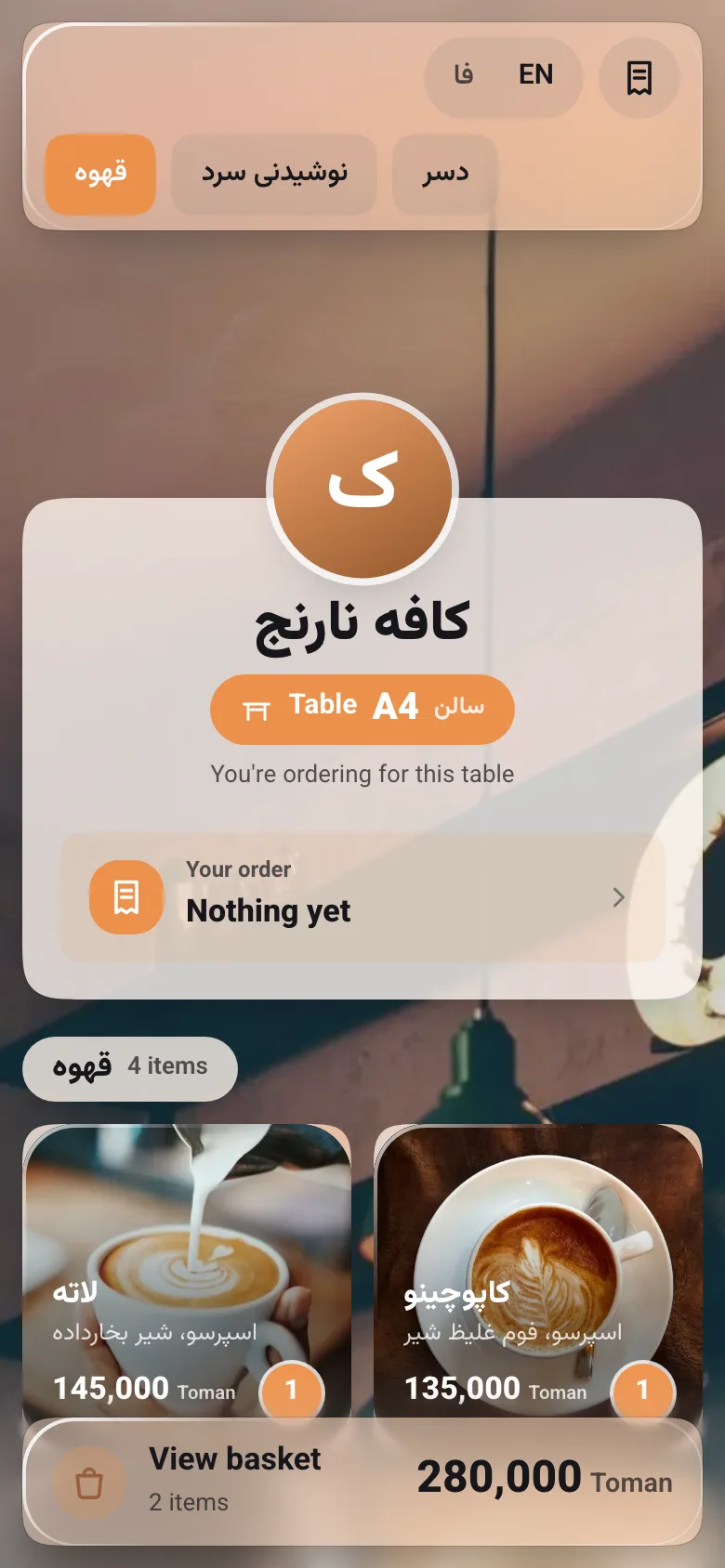
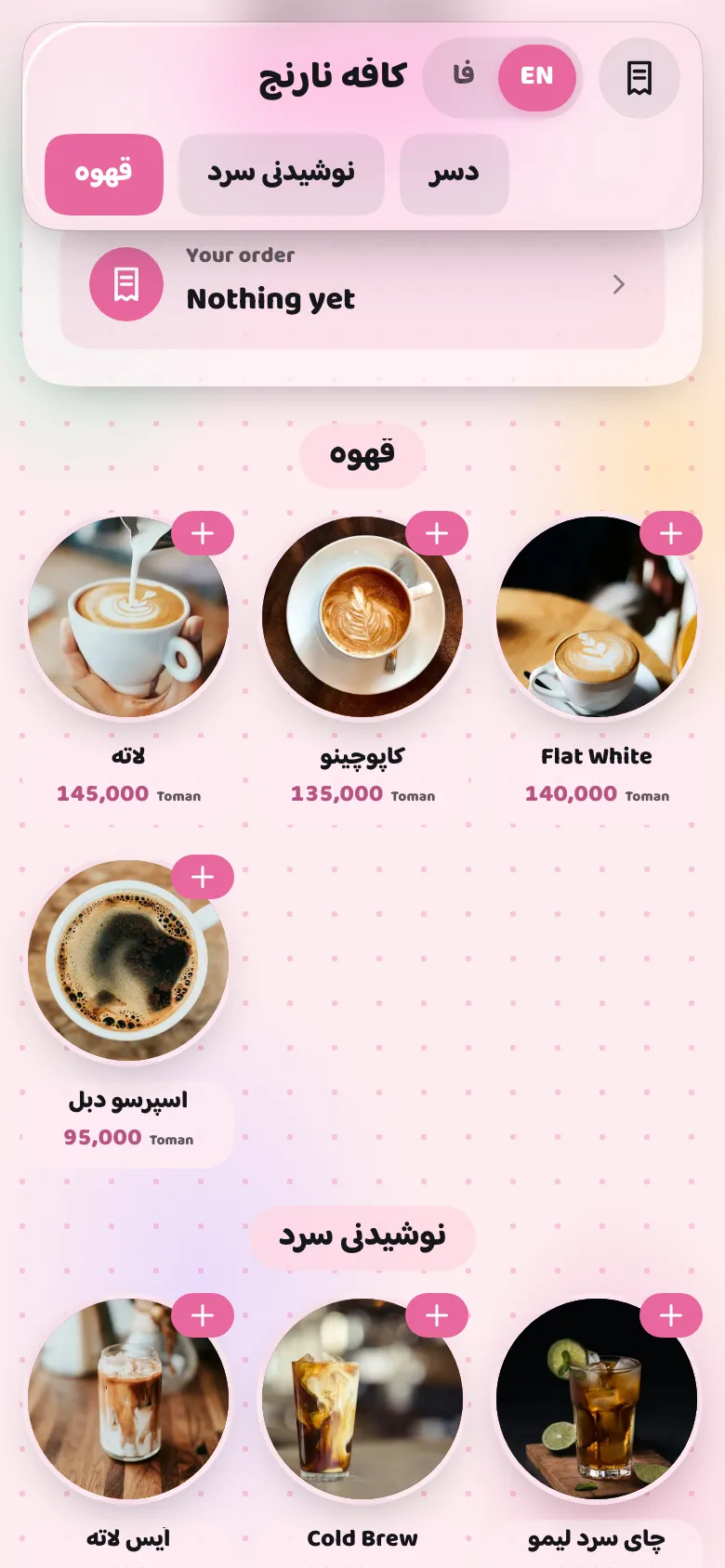
Café Narenj’s real Tanor menu on a phone: table A4, coffees with photos and prices, and a basket with two items
How it works

Three steps, table to kitchen

Nobody installs anything, and nobody remembers a password.

  1. Tanor1

    Scan the QR on the table

    Every table has its own QR. A phone camera is enough — your menu opens in your café’s own photo and colour.

  2. Tanor2

    Order with no account

    The guest browses, fills a basket and orders. The ticket belongs to that table, because the QR was that table’s.

  3. TanorGarson3

    The waiter sees it instantly

    The ticket lands on the tables board with the day’s number (#14): accepted, preparing, served, closed.

For owners

The whole café, on your phone

Edit the menu from your phone, and it is on the table seconds later.

  • A live menu

    Categories and items with prices, a description or ingredients, photos, in the order you choose. A price change is on the table in seconds.

  • Availability in one tap

    Out of cheesecake? Mark it unavailable from the list, and nobody can order it.

  • Revocable QR codes

    Print a QR sheet for every table. If a sticker walks out of the shop, rotate that table’s code and the old one stops working.

  • Staff by mobile number

    Add a waiter with nothing but their mobile number. Sign-in is a one-time code — there are no passwords.

  • Live tickets

    See every ticket by table and status. A waiter can also order on behalf of a guest who would rather not use a phone.

  • A ticket keeps its price

    Every line records its price the moment it is ordered. Raise a price at 9:05 and the 9:04 ticket does not move.

  • Flaky wi-fi? Fine

    An order sent three times over a dropping connection is still one order.

  • Persian, English and Arabic

    Visitors read the menu in English or Arabic; right-to-left and left-to-right, Jalali dates and toman prices.

  • A menu that looks like you

    Six themes and twelve layouts, in your own colours and font. The menu looks like your café, not everyone else’s.

Menu design

Your menu, in your café’s own style

Six themes, twelve layouts, and your own colours, font and corners. Change the look from the manager panel and it is on every table seconds later.

Six themes, six moods

A theme is the menu’s whole look: the backdrop, the cards, the type, the colours and the ornaments. Every theme has a light and a dark face, chosen by the guest’s own phone.

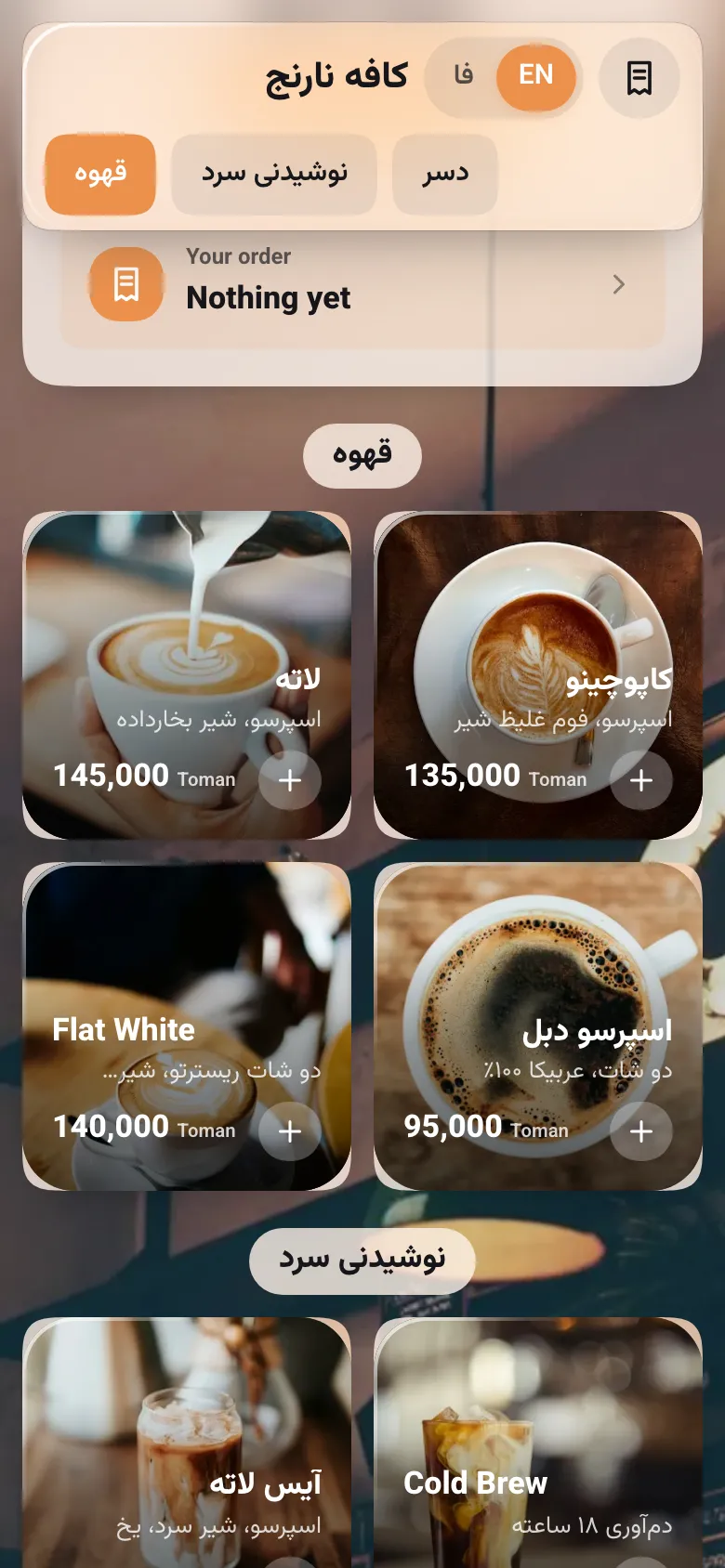
  • Café Narenj’s real menu in the Glass theme

    Glass

    Liquid Glass over your own photo — the menu as it has always been.

    Suggested layout: Classic

  • Café Narenj’s real menu in the Chalkboard theme

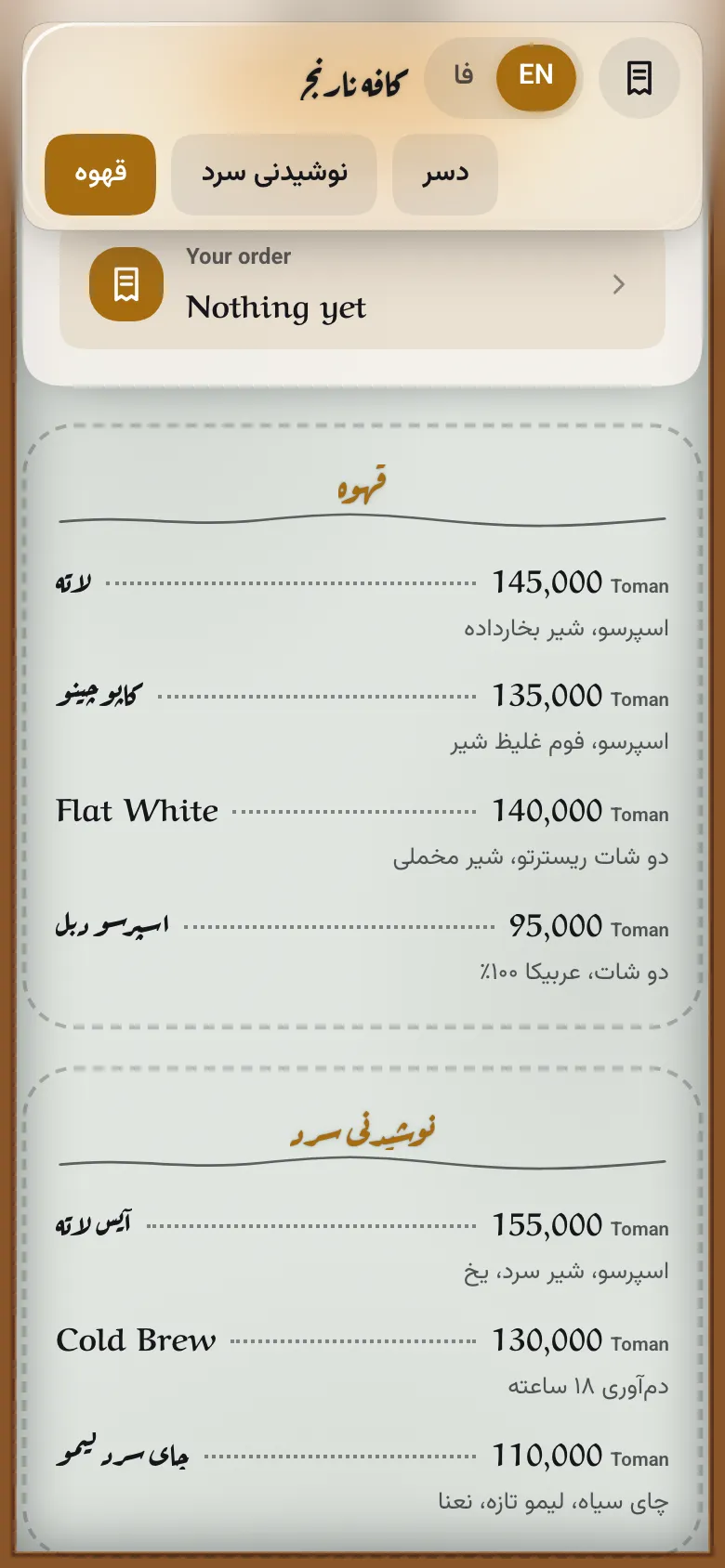
    Chalkboard

    A slate board in a wooden frame, chalk handwriting and coloured headings.

    Suggested layout: Price list

  • Café Narenj’s real menu in the Paper theme

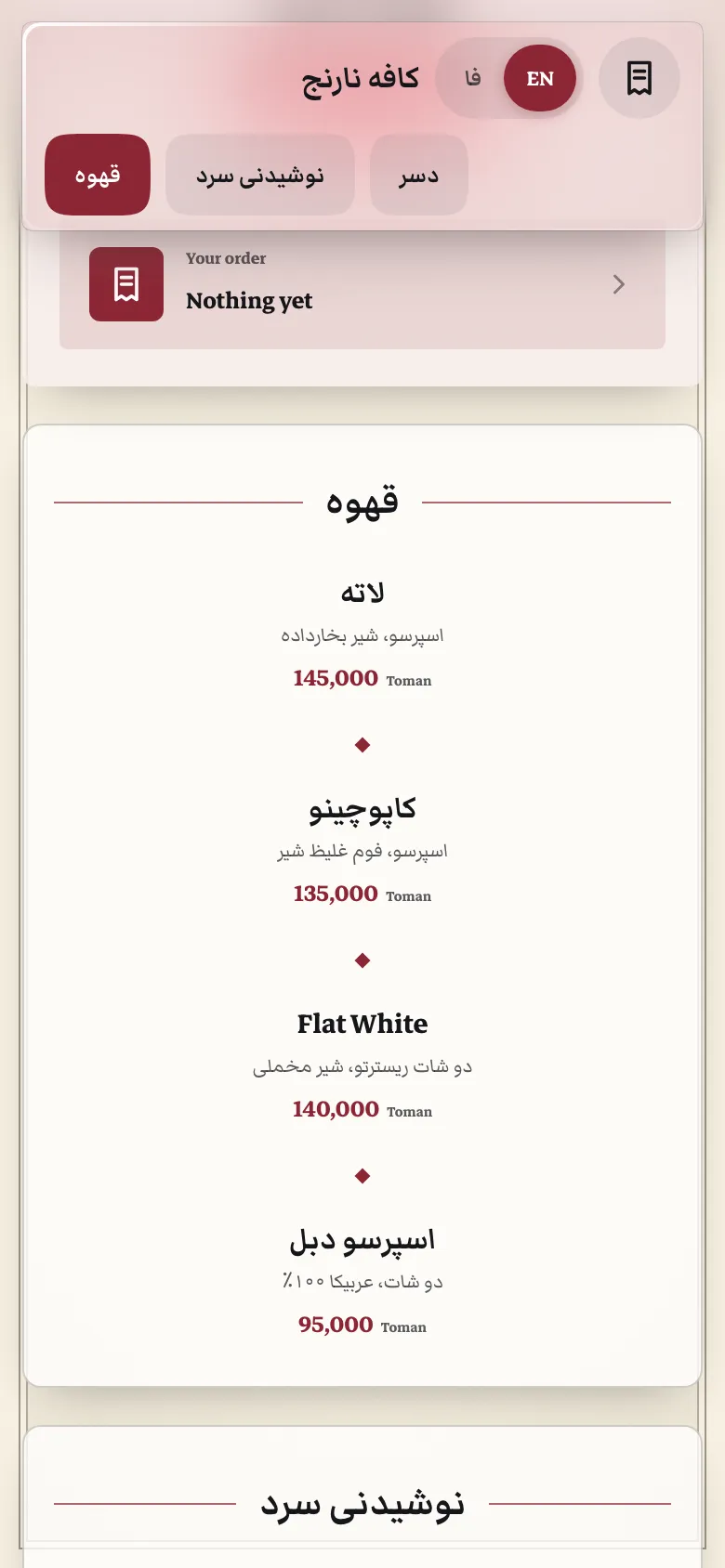
    Paper

    A printed bistro card: cream paper, a serif and fine rules.

    Suggested layout: Elegant

  • Café Narenj’s real menu in the Neon theme

    Neon

    A night sign: headings and prices that glow.

    Suggested layout: List

  • Café Narenj’s real menu in the Kraft theme

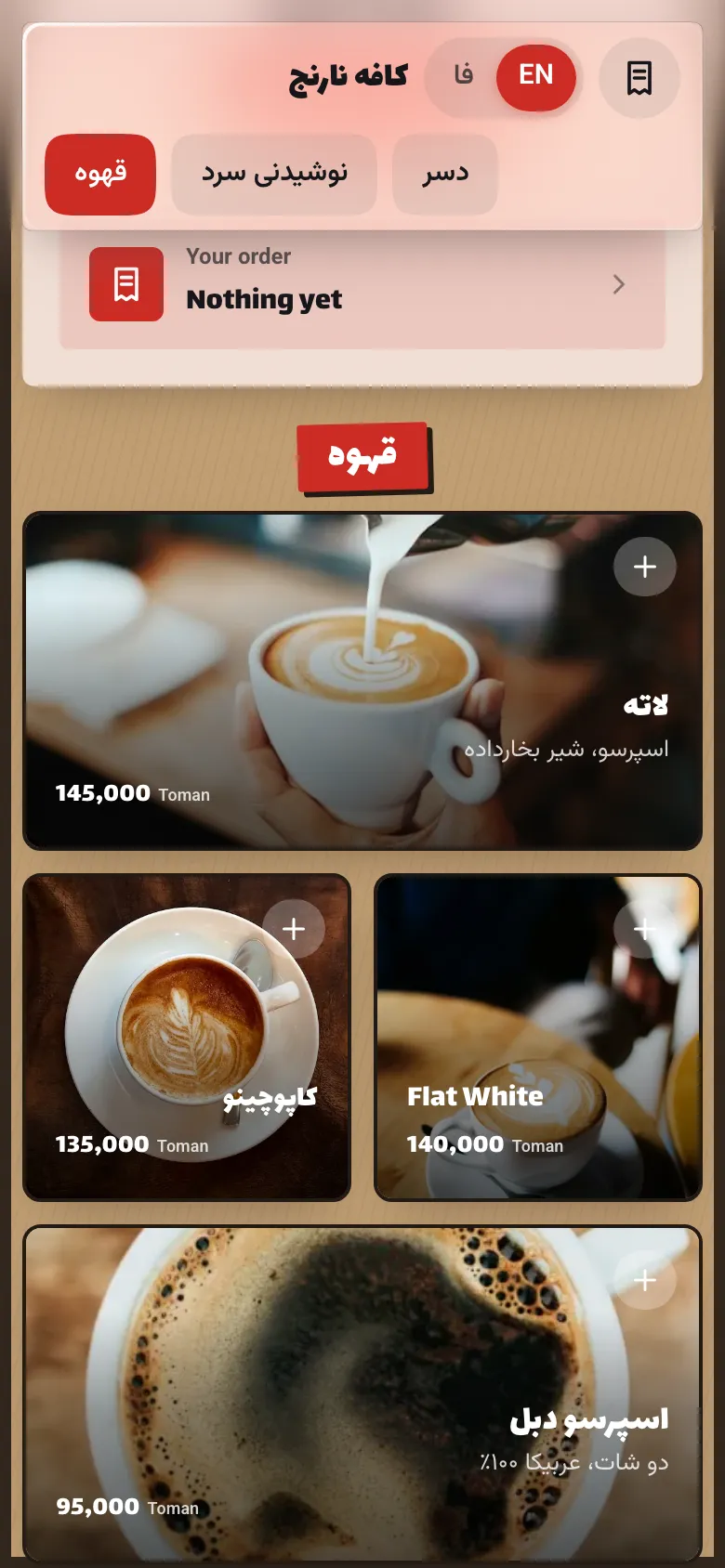
    Kraft

    Street food on brown kraft paper, with stamped headings.

    Suggested layout: Bento

  • Café Narenj’s real menu in the Pastel theme

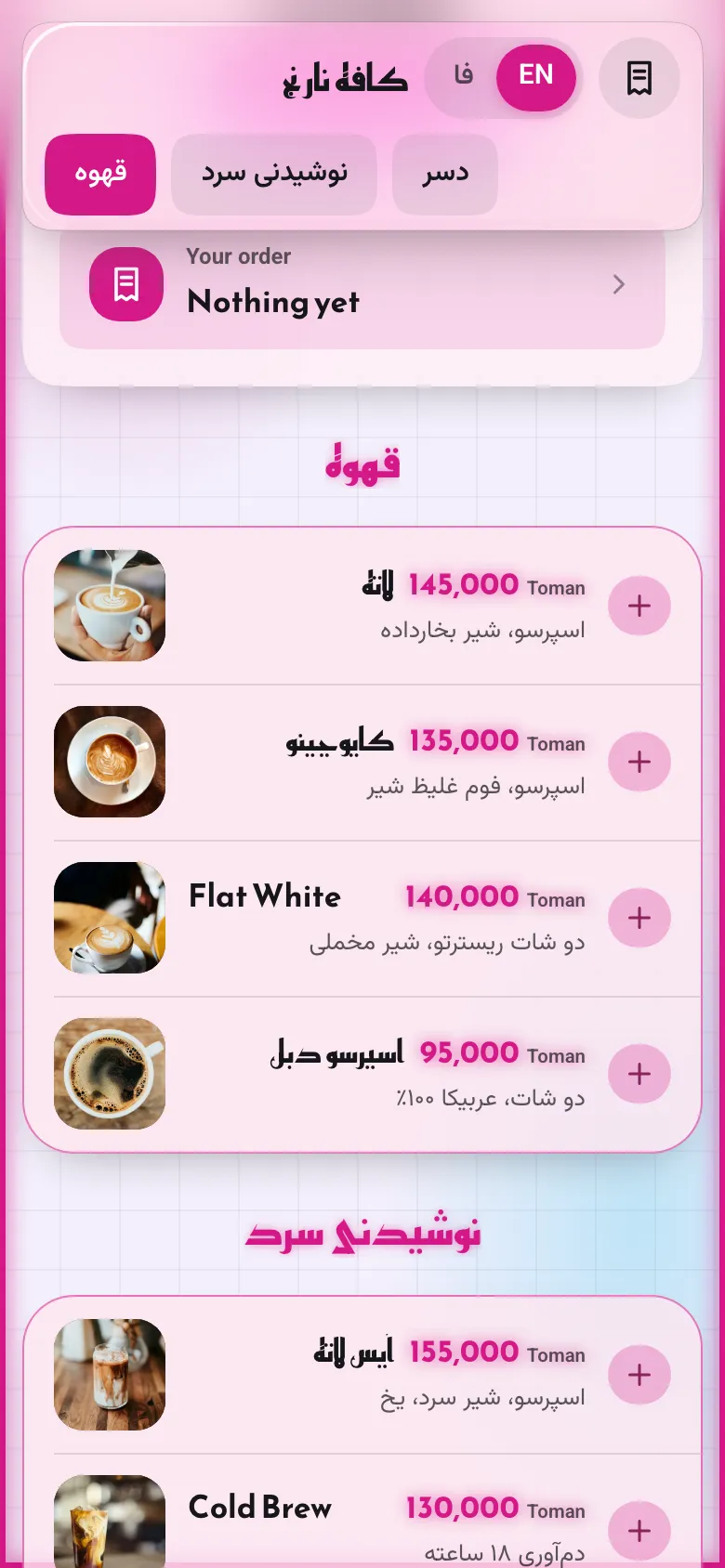
    Pastel

    A bakery window: soft colours and round shapes.

    Suggested layout: Circles

Twelve layouts

A layout is only how the categories and items are arranged. It works with every theme, and the category rail, the basket and the item page stay the same.

  • Classic

    Two-column tiles over your photo

  • List

    Tidy rows with a small photo

  • Cards

    One card per item, wide photo

  • Magazine

    A featured item, then two columns

  • Carousel

    Each category a sideways shelf

  • Price list

    The café board, no photos

  • Elegant

    Centred and fine, for dining

  • Bento

    A mosaic of big and small tiles

  • Circles

    Round photos, like a pastry case

  • Gallery

    Three columns, photo first

  • Zigzag

    Photos alternate side to side

  • Banner

    Each category opens on its photo

Then make it yours

  • Colours

    Pick the accent, background and text colour — or keep the theme’s own.

  • Font and size

    Six fonts that carry Persian, and small, medium or large text.

  • Corners and ornaments

    Sharp, soft or round corners; the theme’s ornaments on or off.

  • A live preview

    See the real menu in the manager panel, exactly as a guest will, before you save.

Apps

One system for everyone around the table

Three apps, one system. All of them run on the web and install on a phone like an app — no app store.

Tanor

Guest menuFor guests

A guest scans the QR on the table and your menu opens over a photo of your own café. They order, then watch it move step by step — no app to install, no signup.

  • Categories, photos, prices and ingredients
  • A basket that orders for that very table
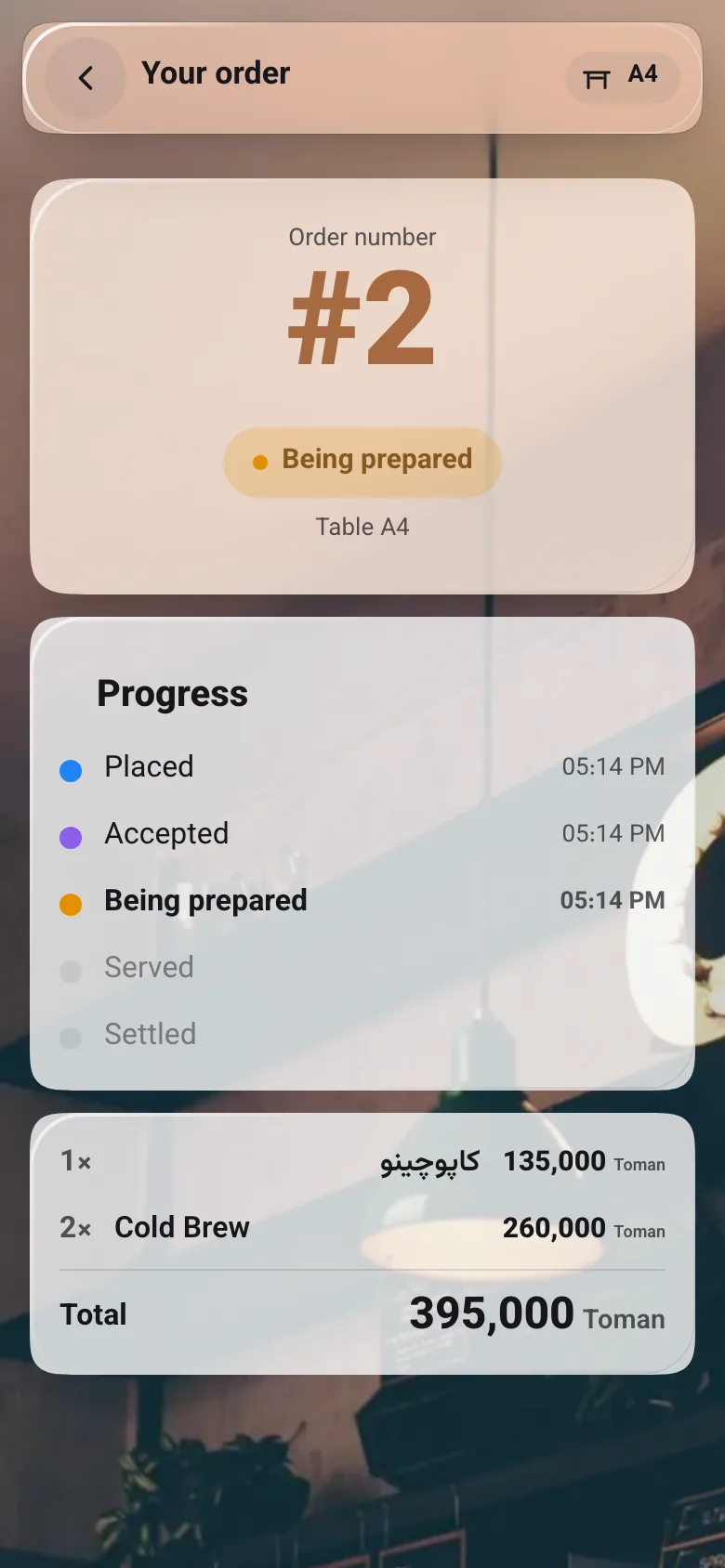
  • Order tracking from placed to served, with a time for each step
  • Persian, English and Arabic; signing in only to keep a receipt
My receipts
Café Narenj’s menu on a phone: order 2 for table A4, being prepared, with its progress and total

TanorGarson

Waiter appFor the floor

Every order lands on the waiter’s phone the moment it is placed, with its table number. They accept it, send it to the kitchen and serve it.

  • New orders arrive live, no refreshing
  • Take an order for a guest who won’t use their phone
  • Move an order from accepted to served in one tap
  • Attach a guest’s mobile so their receipt is kept
Waiter app
Café Narenj’s waiter app: today’s orders with each one’s table and status

TanorManager

Manager panelFor the owner

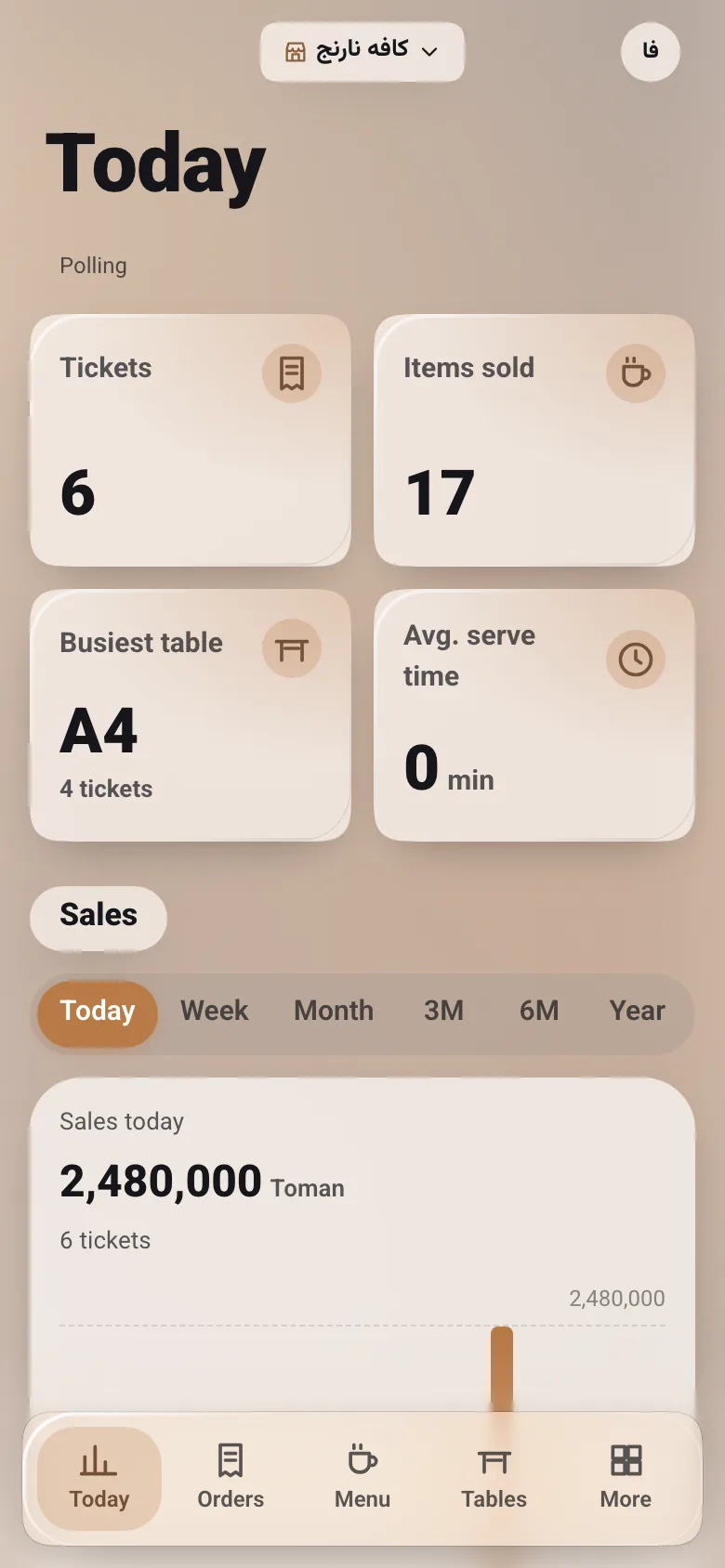
Your whole café in your pocket: change the menu or a price and it is on the tables seconds later. See today’s sales, the busiest table and every order in one place.

  • Menu, prices, photos and what is sold out
  • Tables and printable QR sheets; replace the QR of a lost sticker
  • Add a waiter with nothing but a mobile number
  • The day’s summary and a sales chart
Manager panel
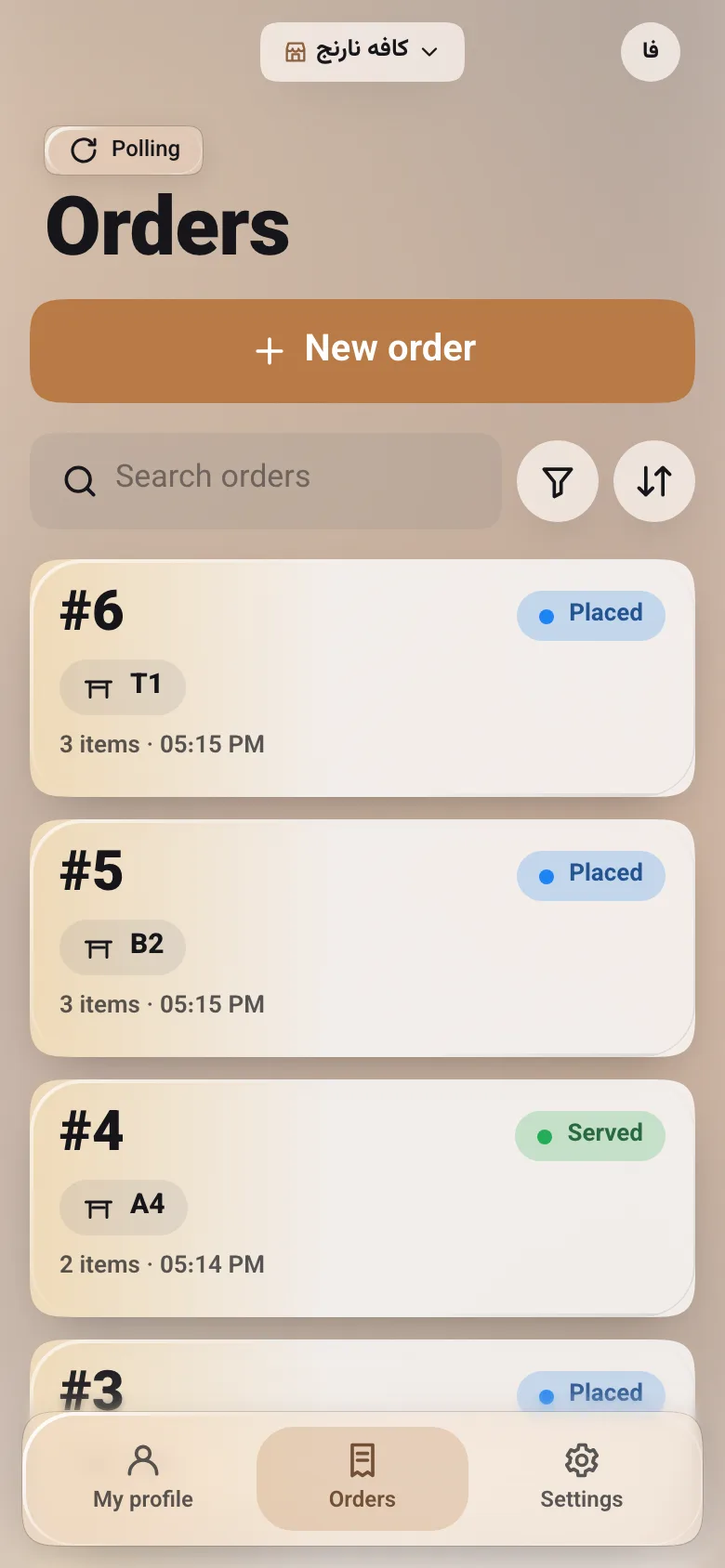
Café Narenj’s manager panel: today’s orders, items sold, busiest table and today’s sales
Plans

Build the menu first, take orders when you are ready

The manager panel is fully open on every plan, so you can build the whole menu before paying for anything.

  • Lite

    A QR menu, no ordering

    1,350,000toman · a month

    3 months
    3,700,0001,233,333 toman a monthinstead of 1,350,000 toman
    6 months
    6,850,0001,141,667 toman a monthinstead of 1,350,000 toman
    12 months
    12,650,0001,054,167 toman a monthinstead of 1,350,000 toman
    • Tanor
    • TanorManager
    • The full manager panel: menu, photos, tables and QR sheets
    • Your public shop page and menu
    • The table QR opens the menu
    • Listed in the shops directory
    • Ordering from the table
    • Waiter app
    Get started
  • Complete

    Pro

    Menu, ordering and the floor

    3,200,000toman · a month

    3 months
    8,700,0002,900,000 toman a monthinstead of 3,200,000 toman
    6 months
    16,350,0002,725,000 toman a monthinstead of 3,200,000 toman
    12 months
    30,300,0002,525,000 toman a monthinstead of 3,200,000 toman
    • Tanor
    • TanorGarson
    • TanorManager
    • Everything in Lite
    • Table ordering with no signup
    • Waiter app and live tickets
    • Receipts in the guest’s account
    • The day’s summary
    Get started

Prices are in toman; you buy any period from the manager panel.

Upgrading from Lite to Pro needs no reprinted QR codes, and the unused Lite days come off the Pro price.

FAQ

What café owners ask us

Does the guest need to install an app or sign up?

No. The phone camera opens the QR and the menu shows in the browser. Ordering needs no account; signing in by mobile is only for keeping receipts.

What if the café’s internet keeps dropping?

Every order carries its own unique id. Sent three times, it is one ticket in the kitchen — not three.

Can I change prices whenever I like?

Yes, from your phone, in seconds. Tickets already placed keep the price they were ordered at.

What if a QR sticker leaves the café?

Rotate that table’s QR in the manager panel. The old sheet stops opening, and you print the new one.

Can guests read the menu in English?

The interface is fully Persian, English and Arabic, and you can write your menu in each of them — a guest who has not got your translation sees the Persian. The names you type — say “Affogato” in a Persian menu — keep their own direction and display correctly.

Can the menu look like my café?

Yes. In the manager panel pick one of six themes and twelve layouts, then set the colours, font, text size and corners. The live preview is exactly what a guest will see.

How do I pay for a plan?

Every manager has a Tanor wallet. Once our team records your deposit, you buy a plan for 1, 3, 6 or 12 months from inside the manager panel. Guests still pay for their orders at your counter.

Get started

Let’s put your café on the table today

Get in touch: we create your shop, name you its first manager, and you start building the menu that same day.